

List of Smartphones with Video Output
#2026 Updated
You may also notice that this list was originally written a few years ago, and some newer smartphone models have been released since then. However, the good news is that most newer generations from these same brands continue to support USB-C video output or desktop-style functionality.
In general, if a device line already supports DisplayPort Alt Mode or desktop mode features, its subsequent flagship models are very likely to retain or further improve this capability. This makes external monitor compatibility more consistent across modern Android ecosystems.
With the introduction of Android 16, Google is also rolling out a native desktop mode that enables a PC-like experience when connected to an external display. Unlike Samsung’s proprietary DeX system, which is only available on Galaxy devices, Android 16’s desktop mode is built directly into the Android system and is expected to expand across more brands in the future.
Samsung DeX remains the more mature and polished solution today, offering stable performance, refined window management, and deep system optimization for Galaxy devices. However, Android 16’s approach focuses on broader compatibility and long-term ecosystem integration.
Key differences and advantages include:
- Wider ecosystem support: Android 16 desktop mode is not limited to Samsung devices, making it more accessible across different brands.
- Native Android integration: Built directly into the operating system, improving long-term app and multi-screen optimization potential.
- Future scalability: More manufacturers are expected to adopt or align with this desktop-style experience over time.
- Current maturity: Samsung DeX still provides a more refined and feature-complete experience at present.
Overall, while Samsung DeX continues to lead in terms of polish and stability, Android 16 represents a more universal and scalable direction for mobile-to-desktop computing.
---------------------------------------------------------------------------------------
Original Part:
Once people want to expand the video on an external screen for their phones, they always wonder "can I connect a mobile phone to a monitor" before buying an adapter. Let us help you here.
Before the list, there is something you need to know about the video output on a phone. It can be concluded into three categories:
- Regular Screen Mirroring
- Manufacturer Customized Desktop Mode (Samsung Dex, Huawei’s Easy Projection, Motorola’s “Ready for”)
- Hidden Desktop Mode on Android 10/11/12
Regular Screen Mirroring
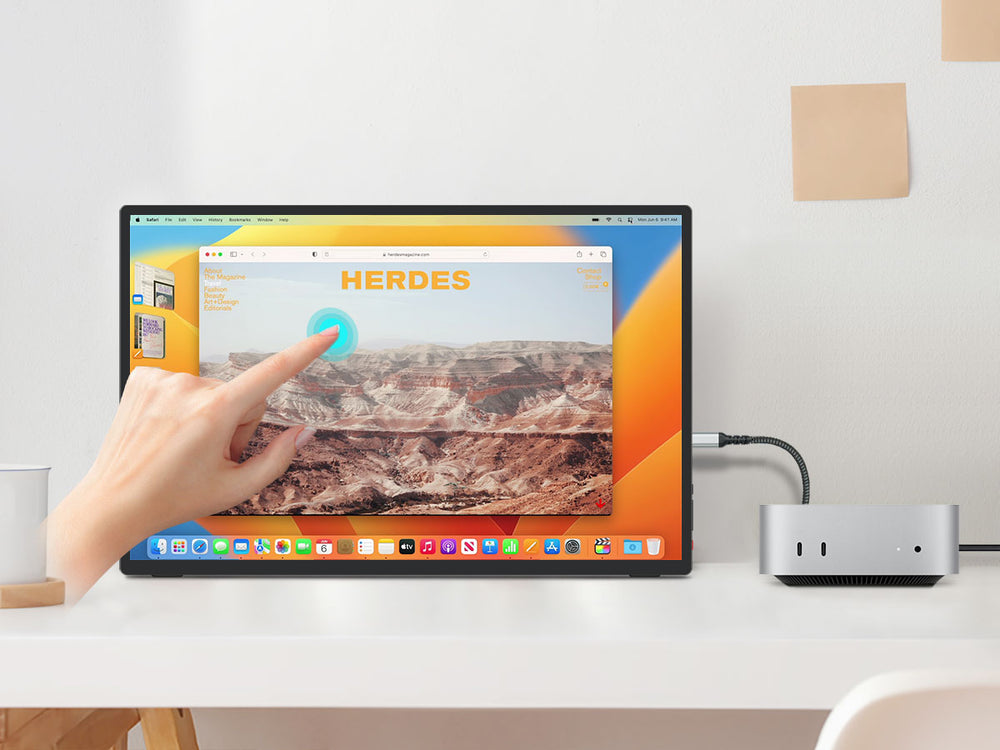
It is casting your phone screen to any monitor, absolutely including Intehill Portable Monitor. In this mode, there is nothing more interesting than casting to an Intehill Touchscreen Monitor. Then you can turn your phone into a tablet and operate the touch screen.

Customized Desktop Mode
Connected to Keyboard & Mouse, then you can turn your phone into a PC with Samsung Dex, Huawei’s Easy Projection, and Motorola’s “Ready for”. This setup will let you enjoy the power of it, like working as a mobile workstation: Browsing / Emails / Simple editing in Microsoft office and other simple tasks. Also, having a much larger display to consume videos is a relaxing no doubt.

Hidden Desktop Mode on Android
If your phone is based on Android 10/11/12 and supports video output, then you can try to enter the hidden desktop mode. Click here for details.

Source:SomeGadgetGuy
Let us see the list.
IOS
All IOS devices you have support video output (Regular Screen Mirroring). Because iPhone4 and later support this, so no need to put an extra list here for IOS devices.
Android
'-' means Regular Screen Mirroring Supported
'Yes' means Hidden Android Desktop Mode Supported
| Device Name | Desktop Mode |
|
Samsung Galaxy S8 |
Samsung DeX |
|
Samsung Galaxy S8+ |
Samsung DeX |
|
Samsung Galaxy S9 |
Samsung DeX |
|
Samsung Galaxy S9+ |
Samsung DeX |
|
Samsung Galaxy S10e |
Samsung DeX |
|
Samsung Galaxy S10 |
Samsung DeX |
|
Samsung Galaxy S10+ |
Samsung DeX |
|
Samsung Galaxy S20 |
Samsung DeX |
|
Samsung Galaxy S20+ |
Samsung DeX |
|
Samsung Galaxy S20 Ultra |
Samsung DeX |
|
Samsung Galaxy S21 |
Samsung DeX |
|
Samsung Galaxy S21+ |
Samsung DeX |
|
Samsung Galaxy S21 Ultra |
Samsung DeX |
|
Samsung Galaxy S22 |
Samsung DeX |
|
Samsung Galaxy S22+ |
Samsung DeX |
|
Samsung Galaxy S22 Ultra |
Samsung DeX |
|
Samsung Galaxy Note 8 |
Samsung DeX |
|
Samsung Galaxy Note 9 |
Samsung DeX |
|
Samsung Galaxy Note 10 |
Samsung DeX |
|
Samsung Galaxy Note 10+ |
Samsung DeX |
|
Samsung Galaxy Note 20 |
Samsung DeX |
|
Samsung Galaxy Note 20 Ultra |
Samsung DeX |
|
Samsung Galaxy A90 5G |
Samsung DeX |
|
Samsung Galaxy Fold |
Samsung DeX |
|
Samsung Galaxy Z Fold 2 |
Samsung DeX |
|
Samsung W21 |
Samsung DeX |
|
Samsung Galaxy Z Fold 3 |
Samsung DeX |
|
Lenovo Legion Phone Duel |
- |
|
Lenovo Legion 2 Pro |
- |
|
Lenovo Legion Duel 2 |
- |
|
Motorola Edge+ |
Ready for |
|
Motorola Edge S |
Ready for |
|
Moto G100 |
Ready for |
|
Motorola Edge 20 Pro |
Yes |
|
OnePlus 7 |
- |
|
OnePlus 7 Pro |
- |
|
OnePlus 8 |
- |
|
OnePlus 8 Pro |
- |
|
OnePlus 9 |
- |
|
OnePlus 9R |
- |
|
OnePlus 9 Pro |
- |
|
OPPO R17 Pro (OPPO RX17 Pro in Europe) |
- |
|
Oppo Reno 10x Zoom |
- |
|
Oppo Reno 5G |
- |
|
Oppo Find X3 Pro |
- |
|
Huawei Mate 10 |
Easy Projection |
|
Huawei Mate 10 Pro |
Easy Projection |
|
Huawei Mate 20 |
Easy Projection |
|
Huawei Mate 20 X |
Easy Projection |
|
Huawei Mate 20 Pro |
Easy Projection |
|
Huawei Mate 30 |
Easy Projection |
|
Huawei Mate 30 Pro |
Easy Projection |
|
Huawei Mate 30 RS Porsche Design |
Easy Projection |
|
Huawei Mate 30E Pro |
Easy Projection |
|
Huawei Mate 40 Pro |
Easy Projection |
|
Huawei Mate X |
Easy Projection |
|
Huawei Mate Xs |
Easy Projection |
|
Huawei Mate X2 |
Easy Projection |
|
Huawei P20 |
Easy Projection |
|
Huawei P20 Pro |
Easy Projection |
|
Huawei P30 |
Easy Projection |
|
Huawei P30 Pro |
Easy Projection |
|
Huawei P40 |
Easy Projection |
|
Huawei P40 Pro |
Easy Projection |
|
Huawei P50 Pocket |
Easy Projection |
|
Huawei Honor Note 10 |
Easy Projection |
|
Huawei Honor View 20 |
Easy Projection |
|
Honor 30 Pro |
- |
|
Honor 30 Pro+ |
- |
|
Honor Magic 3, Pro, Pro+ |
- |
|
Honor Magic V |
- |
|
Asus ZenFone 3 Ultra |
- |
|
Asus ZenFone AR |
- |
|
Asus ZenFone Ares (rebranded Taiwan variant of ZenFone AR) |
- |
|
Asus ROG Phone |
Mobile Desktop Dock, TwinView Dock, WiGig® Dock |
|
Asus ROG Phone II |
Mobile Desktop Dock, TwinView Dock, WiGig® Dock |
|
Asus ROG Phone 3 |
Mobile Desktop Dock, TwinView Dock, WiGig® Dock |
|
Asus ROG Phone 5 |
- |
|
Asus ROG Phone 5s |
Mobile Desktop Dock, TwinView Dock, WiGig® Dock |
|
BlackBerry Key2 |
- |
|
BQ Aquaris X2 |
- |
|
Essential Phone [lower-alpha 1] |
- |
|
Fairphone 4 |
- |
|
HTC 10 |
- |
|
HTC U Ultra |
- |
|
HTC U11 |
- |
|
HTC U11+ |
- |
|
HTC U12+ |
- |
|
HTC U19e |
- |
|
HTC Exodus 1 |
- |
|
LG G5 |
- |
|
LG G6 |
- |
|
LG G6+ |
- |
|
LG G7 |
- |
|
LG G7+ |
- |
|
LG G8 |
Yes |
|
LG Q8 |
- |
|
LG V20 |
- |
|
LG V30 |
|
|
LG V30+ |
- |
|
LG V35 |
|
|
LG V35+ |
- |
|
LG V40 |
- |
|
LG V50 |
Yes |
|
LG V60 |
Yes |
|
Microsoft Surface Duo |
- |
|
Microsoft Surface Duo 2 |
- |
|
PINE64 PinePhone |
- |
|
Purism Librem 5 |
- |
|
Razer Phone [lower-alpha 1] |
- |
|
Razer Phone 2 [lower-alpha 1] |
- |
|
Sharp Aquos R5G |
- |
|
Sharp Aquos zero5G basic |
- |
|
Smartisan R1 |
- |
|
Sony Xperia 1 |
- |
|
Sony Xperia 1 II |
- |
|
Sony Xperia 1 III |
- |
|
Sony Xperia 5 |
- |
|
Sony Xperia 5 II |
- |
|
Sony Xperia 5 III |
- |
|
Sony Xperia 10 III |
- |
|
Sony Xperia Pro |
- |
|
Sony Xperia Pro-I |
- |
|
Xiaomi Black Shark 2 |
- |
|
Xiaomi Black Shark 3 |
- |
|
Xiaomi Black Shark 4 |
- |
|
ZTE Axon 9 Pro |
- |
|
ZTE Axon 10 Pro |
- |
|
ZTE Nubia Red Magic 6S Pro |
- |
|
Microsoft Lumia 950 |
- |
|
Microsoft Lumia 950 XL |
Continuum |
|
HP Elite x3 |
Continuum |
|
Acer Liquid Jade Primo |
Continuum |
Do not hesitate to pick one monitor for your phone

Leave a comment